By Jamal Eason, Product Manager, Android

Earlier today, at Google I/O, we showed a number of projects we’ve been working on to the thousands of developers in the audience and the millions more tuning in on the livestream. These projects extend Android to the TV (Android TV), to the car (Android Auto) and to wearables (Android Wear), among others.
At Google, our focus is providing a seamless experience for users across all of the screens in their lives. An important component to that is making sure that you as developers have all of the tools necessary to easily deploy your apps across to those screens. Increasingly, Android is becoming the fabric that weaves these experiences together, which is why you’ll be excited about a number of things we unveiled today.
Android L Developer Preview
For the first time since we launched Android, we’re giving you early access to a development version of an upcoming release. The L Developer Preview, available starting tomorrow, lets you explore many of the new features and capabilities of the next version of Android, and offers everything you need to get started developing and testing on the new platform. This is important because the platform is evolving in a significant way — not only for mobile but also moving beyond phones and tablets. Here are a few of the highlights for developers:
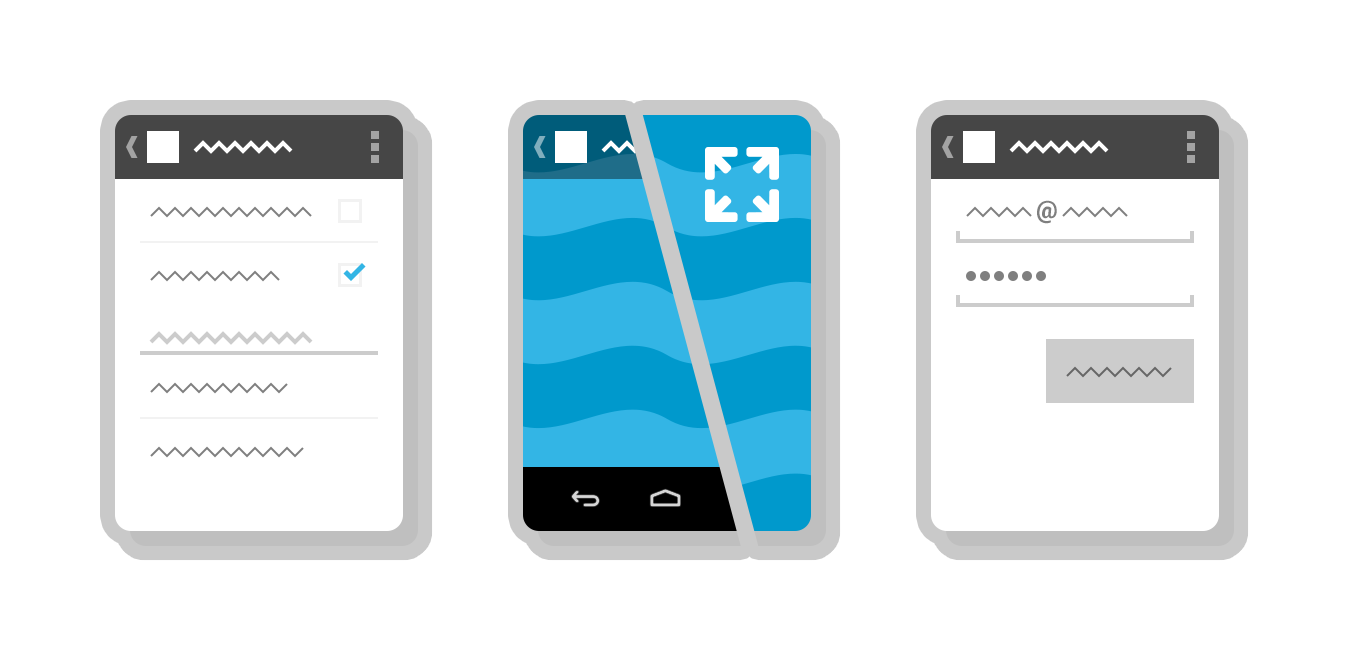
- Material design for the multiscreen world — We’ve been working on a new design language at Google that takes a comprehensive approach to visual, motion, and interaction design across a number of platforms and form factors. Material design is a new aesthetic for designing apps in today’s multi-device world. The L Developer Preview brings material design to Android, with a full set of tools for your apps. The system is incredibly flexible, allowing your app to express its individual character and brand with bold colors and a variety of responsive UI patterns and themeable elements.
- Enhanced notifications — New lockscreen notifications let you surface content, updates, and actions to users at a glance, without unlocking. Visibility controls let you manage the types of information shown on the lockscreen. Heads-up notifications display content and actions in a small floating window that’s managed by the system, no matter which app is in the foreground. Notifications are material themed and you can express your brand through accent colors and more.
- Document-centric Recents — Now you can organize your app by tasks and present these concurrently as individual “documents” in the Recents screen. Users can flip through Recents to find the specific task they want and then jump deep into your app with a single tap.
- Project Volta — New tools and APIs help your app run efficiently and conserve power. Battery Historian is a new tool that lets you visualize power events over time and understand how your app is using battery. A job scheduler API lets you set the conditions under which your background tasks and other jobs should run, such as when the device is idle or connected to an unmetered to a charger, to minimize battery impact.
- BLE Peripheral Mode — Android devices can now function in Bluetooth Low Energy (BLE) peripheral mode. Apps can use this capability to broadcast their presence to nearby devices — for example, you can now build apps that let a device to function as a pedometer or health monitor and transmit data to another BLE device.
- Multi-networking — Apps can work with the system to dynamically scan for available networks with specific capabilities and then automatically connect. This is useful when you want to manage handoffs or connect to a specialized network, such as a carrier-billing network.
- Advanced camera capabilities — A new camera API gives you new capabilities for image capture and processing. On supported devices, your app can capture uncompressed YUV capture at full 8 megapixel resolution at 30 FPS. The API also lets you capture raw sensor data and control parameters such as exposure time, ISO sensitivity, and frame duration, on a per-frame basis.
- New features for game developers — Support for OpenGL ES 3.1, gives you capabilities such as compute shaders, stencil textures, and texture gather for your games. Android Extension Pack (AEP) is a new set of extensions to OpenGL ES that bring desktop-class graphics to Android. Games will be able to take advantage of tessellation and geometry shaders, and use ASTC texture compression across multiple GPU techonolgies.
- Android Runtime (ART) — The L Developer Preview introduces the Android Runtime (ART) as the system default. ART offers ahead-of-time (AOT) compilation, more efficient garbage collection, and improved development and debugging features. In many cases it improves performance of the device with no action required by the developer.
- 64-bit support — The L Developer Preview adds support for 64-bit ABIs, for additional address space and improved performance with certain compute workloads. Apps written in the Java language can run immediately on 64-bit architectures with no modifications required. To support apps using native code, we’re also releasing an updated NDK that includes 64-bit support.
Watch for more details coming out tomorrow (26 June) on what’s in the L Developer Preview and how to get it.
Google Play Services 5.0
Along with the L Developer Preview, we also announced a new version of Google Play services that brings new capabilities and the latest optimizations to devices across the Android ecosystem. Google Play services ensures that you can build on the latest features from Google for your users, with the confidence that those services will work properly everywhere. The latest version has begun rolling out and here are some of the highlights:
- Services for Android wearables — Your apps can more easily communicate and sync with code running on Android wearables through an automatically synchronized, persistent data store and a reliable messaging interface.
- Play Games services — Build a great gaming experience with Quests, which allow event-based challenges for players to complete for rewards, Saved Games (a snapshot API allow synchronization of game data along with a cover-image and description), and Game Profile (providing experience points for players).
- App Indexing API — Surface deep content in your native mobile applications on Google search and drive additional user engagement.
- Google Cast — Use media tracks to enable closed-caption support for Chromecast.
- Drive — Sort query results, create offline folders, and select any mime type in the file picker by default.
- Wallet — Build a "Save to Wallet" button for offers directly into your app; use geo-fenced in-store notifications to prompt the user to show and scan digital cards. Split tender allows payment to be split between Wallet Balance and a credit/debit card in Google Wallet.
- Analytics — Get insights into the full user journey and understand how different user acquisition campaigns are performing with Enhanced Ecommerce, letting you measure product impressions, product clicks, and more.
- Mobile Ads — Use improved in-app purchase ads and integrations for the Play store in-app purchase API client.
- Dynamic Security Provider — Offers an alternative to the platform's secure networking APIs that can be updated more frequently, for faster delivery of security patches.
We expect the rollout of Google Play services 5.0 to take several days, after which time you’ll be able to get started developing with these new APIs.
Join us at the Google I/O sessions
If you’d like to learn more, join us for sessions on Android development, material design, game development, and more. You’ll find the full session list on the Google I/O 2014 site, and you can filter the schedule to find livestreamed sessions of interest.